Kakobuy Umbrella Search vs Google Sheets
Kakobuy Umbrella Search vs Google Sheets
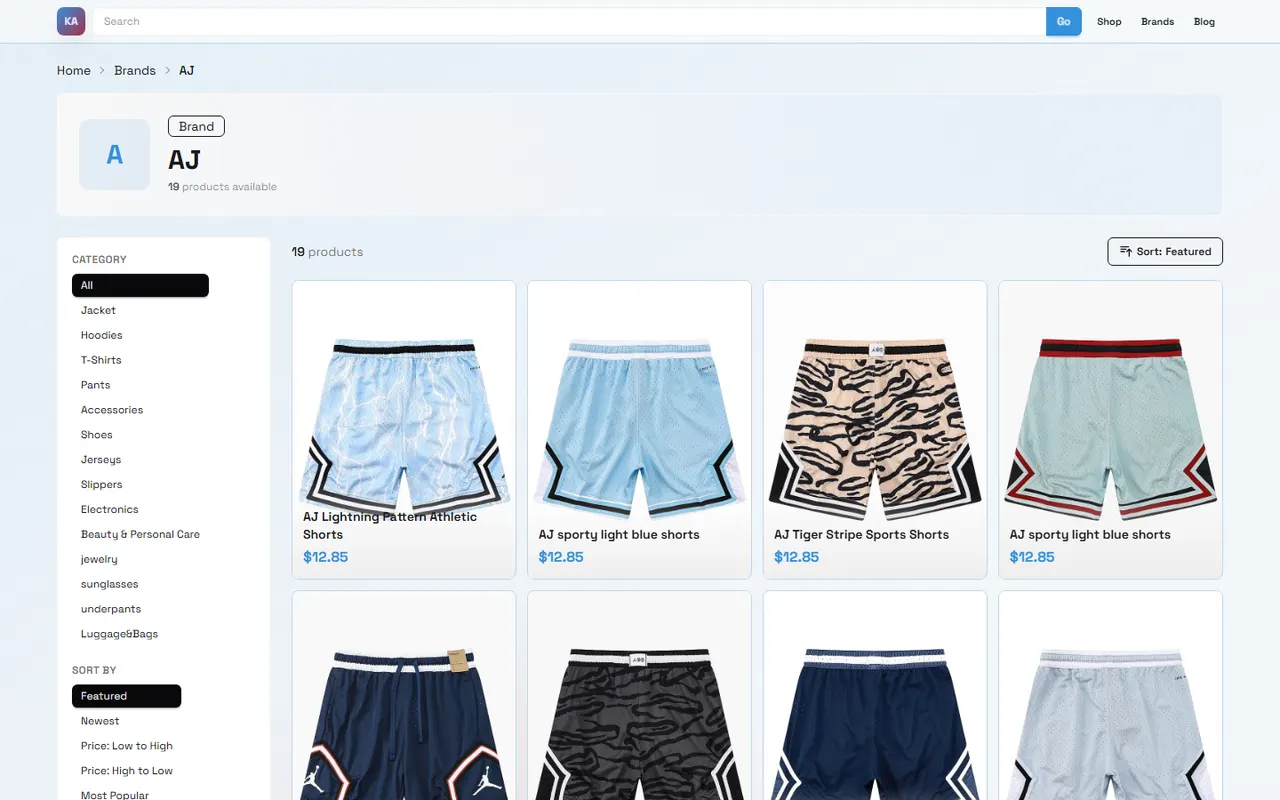
Caption: When using the kakobuy website to browse and Google Sheets to organize hiking umbrella candidates, the key is to separately record visible information, items to be verified, and ordering decisions.
A hiking umbrella is not a product you can simply order after a random search for "outdoor umbrella." What truly affects the experience is often not the windproof, sunproof, or stormproof claims in the title, but whether the canopy size is large enough to cover a backpack, whether the folded length fits into a side pocket, whether the handle is suitable for long-term grip, and whether the product page has clear enough images and specifications for the warehouse to check during inspection.
This article is for buyers who are searching for hiking umbrellas from Chinese e-commerce on kakobuyweidian.org and want to use Google Sheets to manage their candidate list. After reading, you should be able to accomplish one specific thing: initially screen a batch of potentially purchasable hiking umbrellas from the website, then use a spreadsheet to organize dimensions, image evidence, items to be verified, and ordering priorities.
It's also important to clarify what this article does not cover: if you need proven stormproof conclusions from actual testing, real weight measurements, long-term durability rankings, or current stock and price confirmation for a specific umbrella, this article alone cannot replace pre-order verification. Prices, stock, link status, shipping costs, return/exchange windows, and route restrictions are all subject to change. The verification date before publication was 2026-09-14, and actual ordering should still be based on the kakobuy page, seller page, warehouse quality inspection, and checkout page display.
Define the use case and filtering criteria for hiking umbrellas first
Don't open a spreadsheet and immediately search for "umbrella." The needs for a hiking umbrella should be derived from the use case, otherwise the candidates will quickly become a pile of product cards that all look similar 🌧️.
If you are a lightweight hiker, the focus is usually on folded length, weight, quick-open structure, and canopy coverage. An umbrella that is too long will affect storage in the backpack side pocket, while one that is too small won't cover the shoulder straps and chest pack. If you are in high altitude, strong wind, or long-term rainy season conditions, just seeing the word "windproof" is not enough; you need to check the umbrella frame structure, canopy curvature, number of ribs, and whether the product images show details.
It is recommended to first write down four filtering criteria based on your needs:
Use case: urban commuting, short hikes, long-distance mountaineering, camping backup, or photography rain protection.
Carrying method: in backpack side pocket, attached to external webbing, in a small bag, or in the car.
Parameters that must be confirmed: expanded diameter, folded length, weight, number of ribs, handle structure.
Acceptable uncertainties: slight color differences, packaging method, non-core accessories, or details that need warehouse supplementary photos to confirm.
In the kakobuy purchasing and freight forwarding process, products are first sent by the seller to the warehouse, where visible information such as appearance, style, quantity, color, size, or model is checked. Products that are sealed or have tamper-evident packaging are usually not opened for inspection. Therefore, judgment of hiking umbrellas should rely as much as possible on visible parameters on the product page, product images, seller descriptions, and appearance quality inspection photos after warehousing, rather than expecting the warehouse to perform windproof or waterproof performance tests for you.
What category clues to look at first on kakobuy's website-style spreadsheet
The value of kakobuyweidian.org lies in putting Chinese product discovery, purchasing, warehouse quality inspection, and international shipping into a single purchasing process. For parameter-based products like hiking umbrellas, website browsing is suitable for the first layer of screening: first confirm whether there are products that look relevant, have sufficiently complete information, and have images that support judgment, and then decide which ones are worth putting into a spreadsheet.
For website-style spreadsheets or product lists, it is usually suitable to first look at these clues:
Does the product title simultaneously include relevant words such as outdoor, mountaineering, hiking, folding, long handle, windproof, and dual-use for sunny and rainy weather?
Can the product images show the umbrella shape, handle, ribs, storage bag, and expanded proportions?
Does the product card provide price, sales volume, specifications, or source platform information that can be further verified?
Can you access a valid product page, rather than an empty page, redirect page, tag page, or a list page with too little information?
Is the product clearly an ordinary commuter umbrella, children's umbrella, promotional umbrella, or decorative umbrella, rather than a candidate for outdoor use?
The key here is not to find the "best" umbrella in one go, but to exclude products that are obviously unsuitable. For example, if a title only says "creative umbrella" but has no dimensions, frame, or storage images, and the images cannot determine the actual size, then it is not suitable as an ordering candidate; conversely, even if a product's title is not exaggerated, as long as you can see the expanded effect, umbrella cover, handle, and specification table, it is worth putting into Google Sheets for further comparison.
How to narrow down candidates using keywords and filters in Google Sheets
The role of Google Sheets is not to replace website search, but to turn scattered information into a comparable decision table. The website is good for discovery, while the spreadsheet is good for filtering, marking, sorting, and keeping verification records 🧭.
When setting up a spreadsheet, it is not recommended to only include product name and link. For hiking umbrellas, at least these columns should be included: candidate number, product name, source page, keyword source, expanded diameter, folded length, weight, number of ribs, handle type, image evidence, items to be verified, return/exchange risk, priority, verification date.
Keywords can be used in three groups:
Scenario words: hiking umbrella, trekking umbrella, outdoor umbrella, camping umbrella, travel umbrella.
Structure words: folding, long handle, automatic, manual, windproof, reinforced ribs.
Parameter words: large, lightweight, portable, double, ultralight, sunny/rain dual-use.
In Google Sheets, you can first use filters to keep rows whose titles or notes contain "outdoor," "mountaineering," "hiking," "windproof," "lightweight," and then exclude words that clearly deviate from the purpose, such as "children," "advertising," "wedding," "transparent long handle." If you have English notes, you can also use words like hiking, trekking, outdoor, compact, windproof, travel umbrella for auxiliary search.
A more reliable approach is to give each candidate a status instead of simply deleting:
Status | Applicable situation | Next step |
|---|---|---|
Comparable | Has product page, clear images, at least some size or structure information | Enter parameter comparison |
To be supplemented | Product is relevant, but lacks weight, length, or rib details | Consult before ordering or wait for supplementary inspection photos |
Not selected for now | Few images, unsuitable purpose, insufficient page information, or too high risk | Keep record but do not order |
The advantage of doing this is that when you search again later, you won't repeatedly click on the same batch of low-quality results. For a large number of candidates, reducing repeated judgment itself saves time.
Compare step by step by canopy size, folded length, and handle structure
The comparison order for hiking umbrellas should start with parameters that directly affect use, rather than looking at color or marketing words in the title first.
First, look at canopy size. A single-person hiking umbrella usually needs to cover the head, shoulders, and part of the backpack. If the product page only says "large" but does not provide diameter, mark it as to be verified. Larger canopy provides better rain coverage, but may also be heavier, take up more space, and be more affected by wind.
Second, look at folded length. Short folding umbrellas are suitable for stuffing into backpack side pockets or small bags, but the rib structure may be more complex; long-handled umbrellas may have better stability and grip, but may not be suitable for hiking. For people who need to frequently get in and out of vehicles or combine urban commuting with light hiking, folded length is often more important than extreme windproof descriptions.
Third, look at handle structure. Straight handles save space, curved handles are more like commuter umbrellas, and foam or non-slip handles are more suitable for long-term grip. If the product images only show the canopy without handle and rib details, the spreadsheet should clearly state "handle cannot be determined."
Fourth, look at color, storage bag, and additional selling points. Bright colors are easier to see outdoors, dark colors are more stain-resistant; a storage bag makes packing easier, but if the bag is too tight, packing after rain becomes troublesome. Unless the product page explicitly shows or states it, do not treat "sunproof," "stormproof," or "wind-resistant" as proven performance.
What each of product card, spreadsheet row, and image evidence can tell you
Product cards are suitable for judging "whether to click in," spreadsheet rows are suitable for judging "whether to enter the candidate list," and image evidence is suitable for judging "whether the warehouse can help you check the appearance." Do not mix these three.
Product cards can quickly provide title, main image, price range, and possible source clues, but they are usually not enough to support ordering. Especially for products like umbrellas with size and structure differences, the main image may only show visual effects and not necessarily true proportions.
The value of spreadsheet rows is to make judgments trackable. For example, an umbrella marked as "comparable" should be because it has clear expanded images, storage images, and some specifications, not because the title looks high-end. Another marked as "to be supplemented" should clearly state whether it lacks weight, folded length, or handle details.
Image evidence is suitable for supporting appearance judgments, such as color, rib layout, umbrella cover, handle shape, packaging condition. It cannot prove long-term waterproofing, wind resistance level, or true durability. When viewing quality inspection photos after warehousing, you should also request supplementary photos based on visible matters, such as "please take a supplementary photo showing the folded length comparison" or "please take a photo of the handle and rib connection," rather than asking the warehouse to test storm or strong wind.
How to keep items to be verified when windproof, waterproof, or weight cannot be confirmed
When encountering information that cannot be confirmed, do not guess just to make the spreadsheet look complete. Especially windproof, waterproof, and weight are all information that is easily exaggerated in titles, omitted on pages, or mixed across different specifications.
It is recommended to use three types of marks to handle uncertain items:
Not shown: The parameter is not seen on the product page.
Shown but unverified: The page states the parameter, but the correspondence between specifications still needs to be confirmed before ordering.
Requires inspection supplementary photos: The appearance photos can only assist judgment after the product arrives at the warehouse.
For example, if an umbrella title says "ultralight windproof" but the page has no weight number and no rib detail image, the spreadsheet should state "weight not shown, windproof structure not shown." This is not nitpicking, but avoiding turning marketing words into purchase facts.
kakobuy provides warehouse quality inspection and parcel processing, but the inspection mainly focuses on appearance, style, quantity, color, size, model, and other information. For hiking umbrellas, you can reasonably use inspection photos to confirm color, quantity, outer packaging, storage condition, and visible structure; do not equate inspection photos with actual rain testing.
If a candidate product is very attractive but key parameters are missing, you can keep it in the "to be supplemented" area instead of eliminating it directly. Before ordering, decide whether to proceed based on price, return/exchange window, route restrictions, and personal risk tolerance.
Boundaries of applicability for website browsing and Google Sheets organization
Website browsing and Google Sheets are complementary, not either/or.
Website browsing is suitable for solving discovery problems: which hiking umbrella candidates exist, which pages can be opened, which images are clear enough, which products are clearly irrelevant. Google Sheets is suitable for solving decision problems: which candidate has more complete information, which has fewer parameter gaps, which is more suitable for your backpack and route, and which questions need to be asked before ordering.
The boundaries can be divided as follows:
Don't hesitate for a long time on the website. After seeing a relevant product, quickly transfer visible information to the spreadsheet.
Don't fabricate parameters in the spreadsheet. Leave weight, material, wind resistance level, and dimensions without sources blank or mark them as to be verified.
Don't replace product page judgment with a single screenshot. Screenshots can be evidence, but you should still go back to the product page and checkout page for verification.
Don't treat coupons or logistics promotions as the actual order cost. kakobuy new user discounts, shipping coupons, different routes, and customs fees may all affect the final cost, but the actual amount should be based on the settlement conditions when submitting the parcel.
Regarding fees, the total purchasing cost on kakobuy typically consists of product cost, international shipping, and customs fees; product cost may also include domestic shipping within mainland China. Logistics routes, destination country, parcel weight, volumetric weight, category restrictions, and delivery time all affect the final choice. Hiking umbrellas may seem light, but long-handled or large umbrellas may affect parcel volume due to size, and this should be rechecked before consolidation.
Regarding returns and exchanges, the platform provides return/exchange services within a certain window after warehousing, but special products or those that have already been processed according to requirements, such as packaging, tags, accessories, may not be eligible. For umbrellas, if key dimensions and structure are uncertain, don't wait until the packaging is removed or the international parcel is submitted to start worrying.
Finally form an orderable candidate list
The final goal is not to make a very pretty spreadsheet, but to get a candidate list that can support ordering ✅.
It is recommended to compress the list to 3-5 options. Each option should be able to answer four questions:
Which use case does it fit?
Which parameters have been seen from the product page or images?
Which information still needs to be confirmed before ordering or supplemented after warehousing?
If confirmation fails, is there a backup option?
Orderable candidates usually should meet these conditions: the product page is accessible, the name and images support judgment, there is at least evidence of expanded or folded form, key specifications are not completely blank, and the items to be verified will not affect whether you purchase. For example, color to be confirmed is usually acceptable; but if expanded diameter, folded length, and weight are all missing, it is not suitable as a high-priority candidate.
For hiking umbrellas, the way to save money is not to blindly choose the lowest price, but to reduce buying the wrong specifications, repeated returns and exchanges, and wasted international shipping. Consolidation may reduce repeated initial weight or handling costs, but may also increase volumetric weight, parcel value, and single loss/damage risk; splitting may increase fixed costs but can avoid size or category restrictions on certain routes. Umbrella products especially need to recheck volume, length, and route requirements before submitting the parcel.
A relatively stable ordering sequence is: first select the option with the most complete information, then keep one or two backups; after warehousing, view inspection photos to confirm color, quantity, appearance, handle, and storage condition; if you find that the size, style, or structure does not match expectations, handle it as soon as possible within the return/exchange window. Do not publicly share order numbers, addresses, phone numbers, payment information, or complete waybill screenshots; when communicating issues, only provide necessary product and parcel information 🔍.
The final list can be very simple: one primary choice, two backups, three items to be verified, and one condition for giving up. As long as it helps you click fewer wrong links, buy fewer wrong specifications, and reduce rework at the warehouse stage, this spreadsheet has done its real job.
Frequently Asked Questions about Shopping on Agent Platforms
1. How can I view quality inspection photos on kakobuy?
When viewing quality inspection photos, you should pay attention to the specific features of the purchased product. Taking shoes as an example, you need to check several key parts—such as the toe, heel, and tongue—to verify stitching, shoe shape structure, and tongue thickness, in order to determine whether they are high-quality shoes. For clothing, you should check details such as collar labels, logo embroidery, fabric, and the flatness of collars and cuffs;
2. Why doesn't kakobuy use Google Sheets?
Google Sheets is only suitable for spreadsheets with a small number of products. Once the number of products increases, loading speed becomes very slow and the system lags noticeably. This is especially true on mobile devices, where the visual experience is poor and finding products is extremely inconvenient. For the same set of products, the spreadsheet on the kakobuy website loads faster and offers a better visual experience.
Browse our latest products and find your next favorite item.